Challenge
Scattered case records
Files, court orders and notes live in different binders, inboxes and shared drives.
Centralize probationer information, court documents, notes, and supervision plans in one case file.
Probation Office Management Software
Manage probation cases, track compliance, schedule appointments, and generate reports from one secure, centralized platform built for probation professionals.
Electronic monitoring built in: zones, alerts and devices sit in the same workspace as the case file.
The problem
Challenge
Files, court orders and notes live in different binders, inboxes and shared drives.
Centralize probationer information, court documents, notes, and supervision plans in one case file.
Challenge
Paper calendars and memory don’t scale across a full caseload.
Organize schedules, automate reminders, and flag overdue tasks before they slip.
Challenge
Progress reports get rebuilt by hand from notes scattered across the case.
Generate structured progress reports and compliance summaries from recorded case information.
Core features
One workspace for officers, supervisors and administrators, so case information is entered once and used everywhere it’s needed.
A complete case file for every probationer: conditions, court orders, contacts and history.
Book office visits, field visits and reviews, with automatic reminders to keep everyone on time.
Record each condition, log violations as they happen and see compliance status at a glance.
Assign and rebalance cases across officers, and see who is carrying what.
Build progress reports and court documents from the information already in the case.
Record assessment results with the case and use them to guide supervision levels and plans.
Log service hours, program attendance and treatment progress against each requirement.
Store court orders, signed forms and case documents with the case, with access controlled by role.
Caseload, compliance and workload numbers for supervisors and leadership, always current.
Each user sees only what their role allows, and every access is recorded.
Monitoring built in
When case files live in one tool and monitoring alerts in another, officers re-enter information and lose context. Guardian GPS keeps both in the same workspace, so an alert, the conditions behind it and the officer’s response sit on one record.
Inclusion and exclusion zones, alerts and exceptions appear next to the case file, so officers can respond and document in one place.
Check location history or a current position without leaving the system.
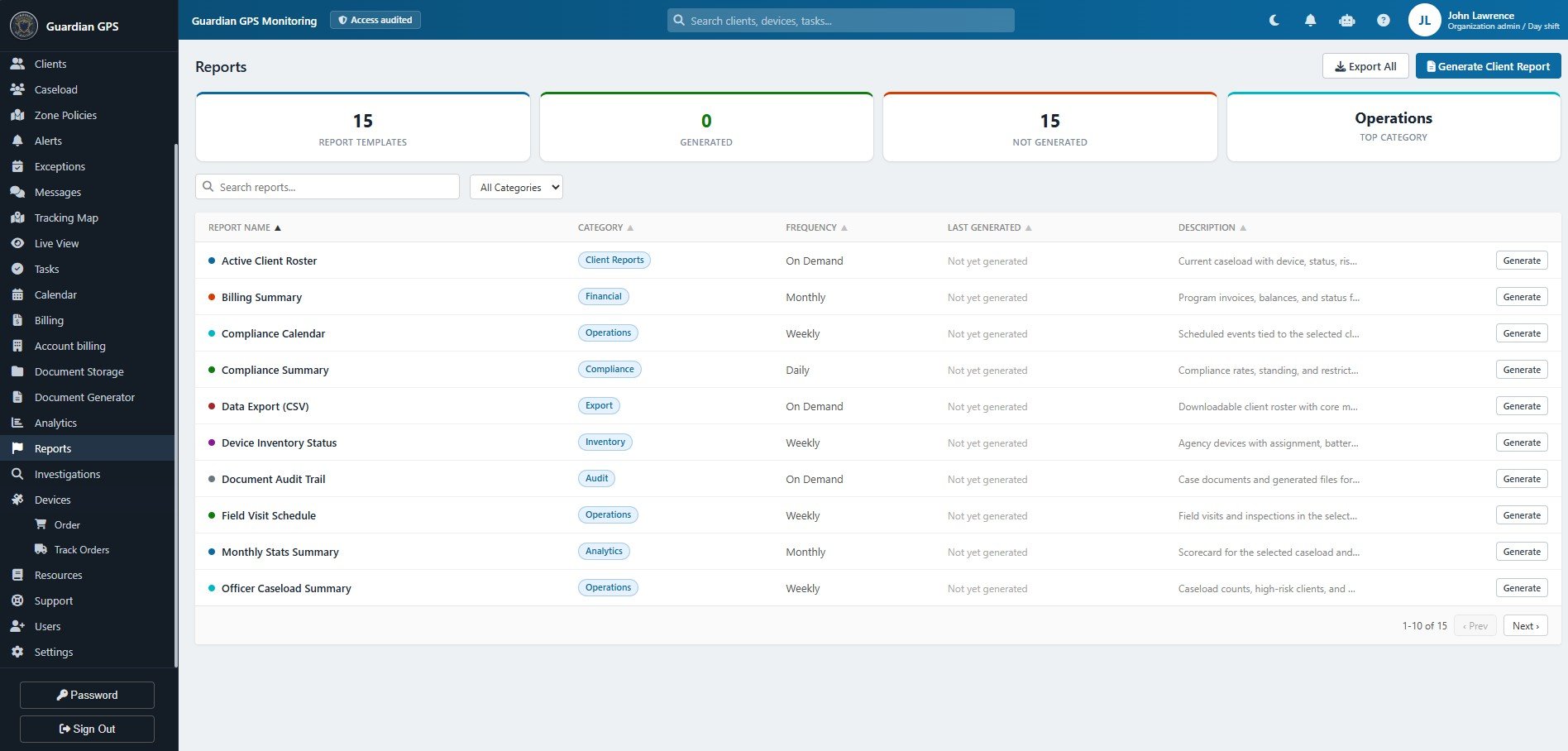
Assign devices, order and track equipment, and see inventory status across the agency.
Client rosters and summaries can show device status alongside compliance.
Every Guardian device reports into the same dashboard
Sample record with fictional data.
Product preview
Search your caseload, filter by status and see what needs attention, all from one screen. Try the search and filters below.
| Probationer | Officer | Next step | Supervision | Status |
|---|---|---|---|---|
| Daniel BrooksPR-24-0193 | R. Alvarez | Office check-in, Oct 28 | Standard | Compliant |
| Alicia MorenoPR-24-0207 | R. Alvarez | Home visit, Oct 28 | Intensive | Needs attention |
| Terrence HallPR-23-1184 | K. Nguyen | Office check-in, Oct 29 | Standard | Compliant |
| Sandra WhitfieldPR-24-0011 | K. Nguyen | Follow-up overdue since Oct 21 | Moderate | Overdue |
| Jordan PikePR-24-0322 | M. Okafor | Treatment review, Oct 30 | Moderate | Compliant |
| Renee CastilloPR-23-0976 | M. Okafor | Drug screen, Oct 30 | Intensive | Needs attention |
| Kevin MarshPR-24-0288 | R. Alvarez | Office check-in, Nov 3 | Standard | Compliant |
| Priya RamanPR-24-0145 | K. Nguyen | Court report due Oct 27 | Moderate | Overdue |
No probationers match that search.
Names, case numbers and figures shown are fictional sample data.
Benefits
Every note, document and condition lives in one case file instead of five places.
Enter information once and reuse it in schedules, reminders and reports.
Upcoming appointments, due reports and overdue tasks are on screen every morning.
Structured case notes and report templates keep records uniform across the office.
Supervisors see caseloads and documentation without chasing officers for updates.
Department dashboards give administrators an accurate operational picture.
How it works
Import or create probationer records and assign cases to officers.
Track appointments, supervision conditions, case notes and follow-ups day to day.
Generate progress summaries and authorized reports for supervisors and courts.
Security
Probation records include court orders, health information and personal details. The platform is built to keep that information limited to the people who need it, and to show who accessed what.
Have specific security requirements for your department? Our team will walk your IT and records staff through how the platform handles data. Ask during your demo or see our compliance page.
Officers, supervisors and administrators each see only what their role allows.
Individual user accounts with password-protected sign-in, managed by your administrators.
Every access and change is logged, so supervisors can review who did what and when.
Data is encrypted in transit and at rest, and documents are stored with the case under the same access rules.
Regular backups and recovery procedures help protect case records from loss.
Set how long records are kept to match your department’s retention schedule.
Built for every role
Probation officers
Supervisors
Department administrators
Our design principles
Screens open on what needs doing today, not on a wall of menus.
Information recorded in the case flows into schedules, reminders and reports.
Role-based access and audit logs are built in, not bolted on.
No jargon and no promises we can’t keep, just tools that make casework easier.
FAQ
It’s a central system where a probation department keeps case records, schedules, compliance information, documents and reports. Instead of paper files and spreadsheets, officers and supervisors work from one shared, secure workspace.
Each officer sees their assigned cases, today’s appointments and any overdue follow-ups in one place. Automated reminders keep appointments on track, and structured case notes and report templates cut down on repetitive paperwork.
Yes. Supervisors can view caseloads, open tasks and documentation for every officer they oversee, and reassign cases when workloads change.
Yes. Progress reports and compliance summaries are generated from the information already recorded in the case, using report templates your department can use consistently.
Access is role-based, so each user sees only what their role allows. Every access is logged in an audit trail, data is encrypted in transit and at rest, and records are backed up. Retention periods can be configured to match your department’s policy.
The platform supports exportable reports and CSV data exports, and can be configured to share data with the systems your court or agency already uses. Every setup is different, so talk to our team about your specific systems.
Yes. Roles, permissions, supervision levels, report templates and retention settings can be configured to fit how your department works. We’ll walk through your workflows during the demo.
Book a demo
See how one organized workspace can help your team manage cases, coordinate follow-ups, and streamline daily operations.